
Your HubSpot account is separate from your Healthmonix account. You can use the same credentials if you want, but you'll need to create a separate HubSpot account.
You need to set up a HubSpot account to access the Healthmonix Help Center. The help center includes articles and how-to videos for Healthmonix software.
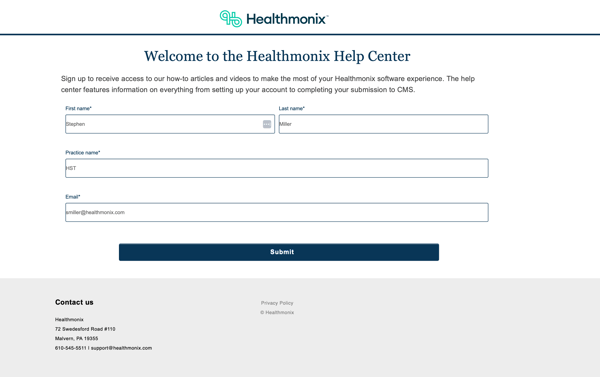
1. Complete the help-center access form. You'll receive an email with instructions for setting up your password after you complete the form.
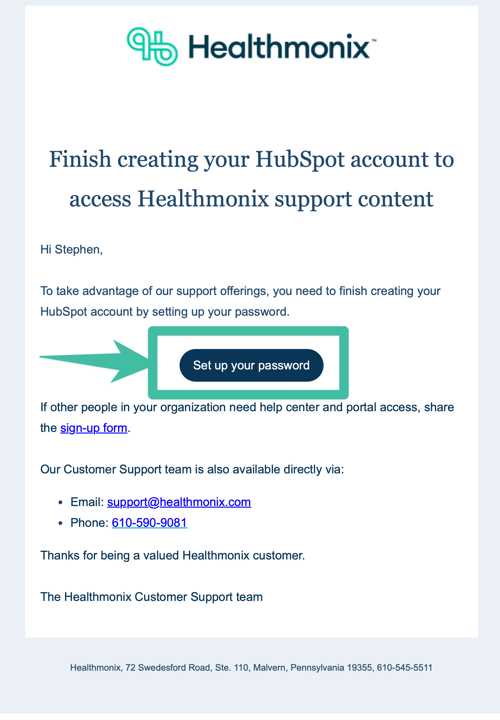
2. In the email you receive, select Set up your password. This takes you to the password setup page in HubSpot.
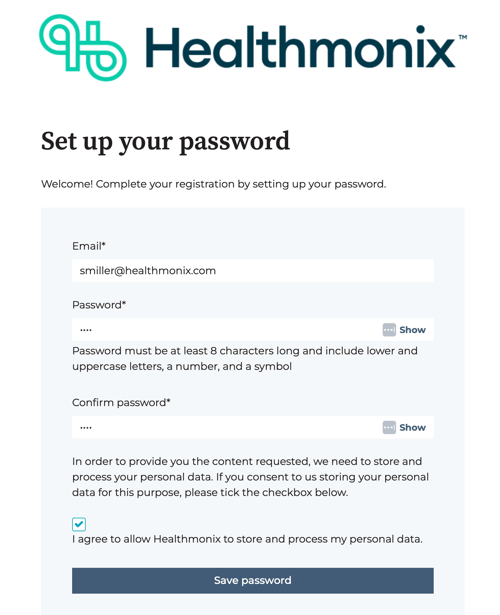
3. Enter the email address you used on the help-center access form.
4. Enter a password and confirm the password.
5. Select Save password.
Once you save your password, you'll be able to sign in to your Hubpot account. In addition to granting help-center access, your account allows you to create and track support tickets you've opened with our Customer Support team.
If you have questions, contact our Customer Support team at support@healthmonix.com. We typically respond within a few hours.
Last updated: April 8, 2026.